Five people can run a cafe, a fit-out crew or a small office from memory and a group chat, right up to the week when someone is off sick and nobody knows whether the fish was ordered. A shared board fixes that, as long as it is simple enough that all five people actually use it.
This is a setup you can finish in one afternoon in tick-tock-done. The screens below are from the app as it is today, with a demo cafe team. The same steps work for a building crew or any small team.
What you are building
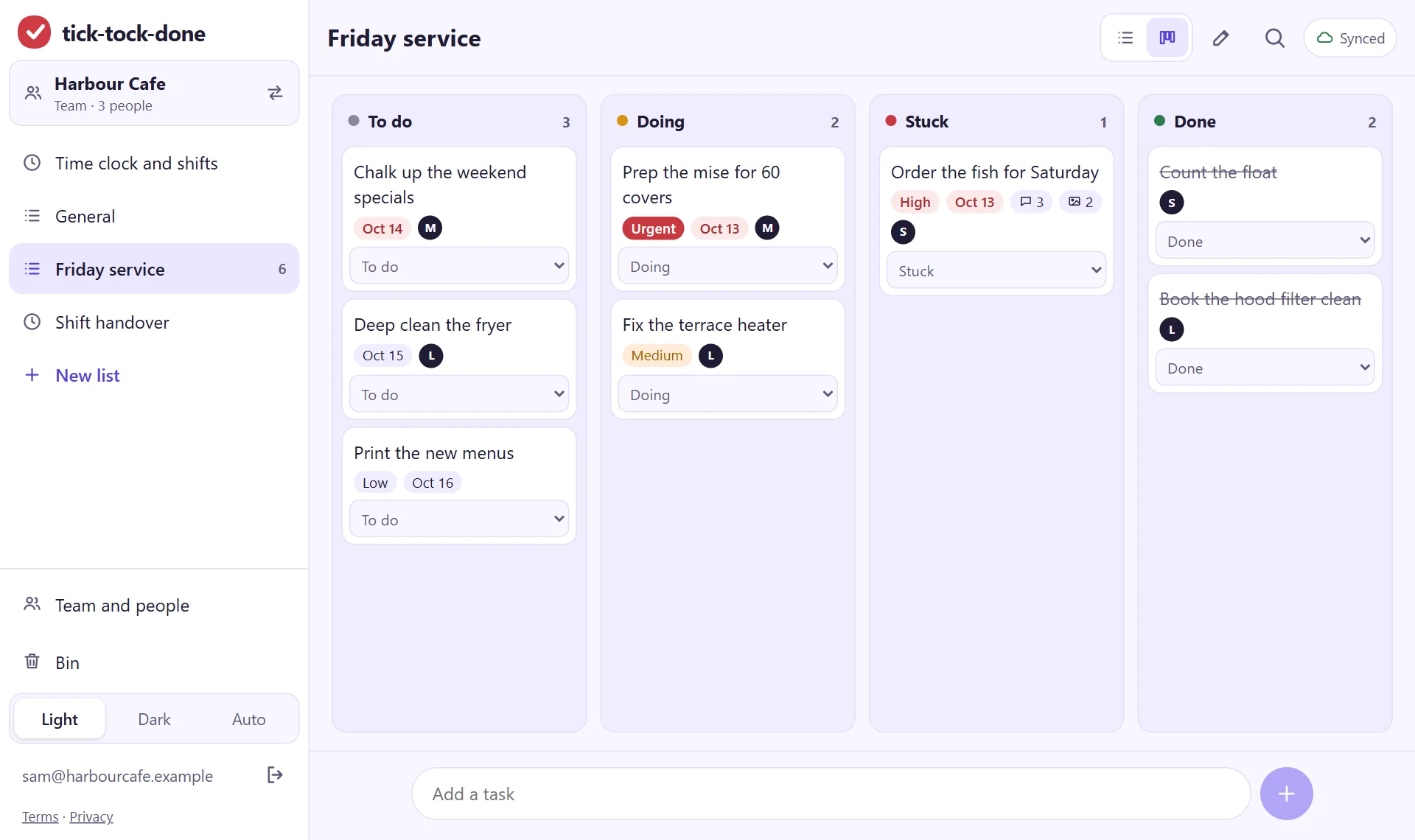
One board per stream of work, with four columns: To do, Doing, Stuck, Done. Every job has one owner. Jobs with a real deadline have a due date. Everything else is optional.
Step 1: make the team and get everyone in (10 minutes)
Sign in, open the menu and create a team. Then get the others in. There are two ways:
A join code. The team page shows an 8-character code. Read it out or write it on the whiteboard; each person signs in on their own phone and joins with the code. This is the quick way for a crew standing in the same room.
An invite by email address. Type the address they sign in with. The invite waits for them inside the app the next time they sign in with that address. The app does not send an email for it, so tell them it is there.
Whoever creates the team is its owner and can make others managers. The owner and managers set up lists and columns; everyone can add jobs, move them, take them and comment.
Step 2: one list per stream of work (10 minutes)
Make a tasks list for each thing the team runs separately: "Friday service", "Orders", "Site: 14 Mill Lane". Two or three lists is plenty for five people. If you are not sure whether something needs its own list, it doesn't yet.
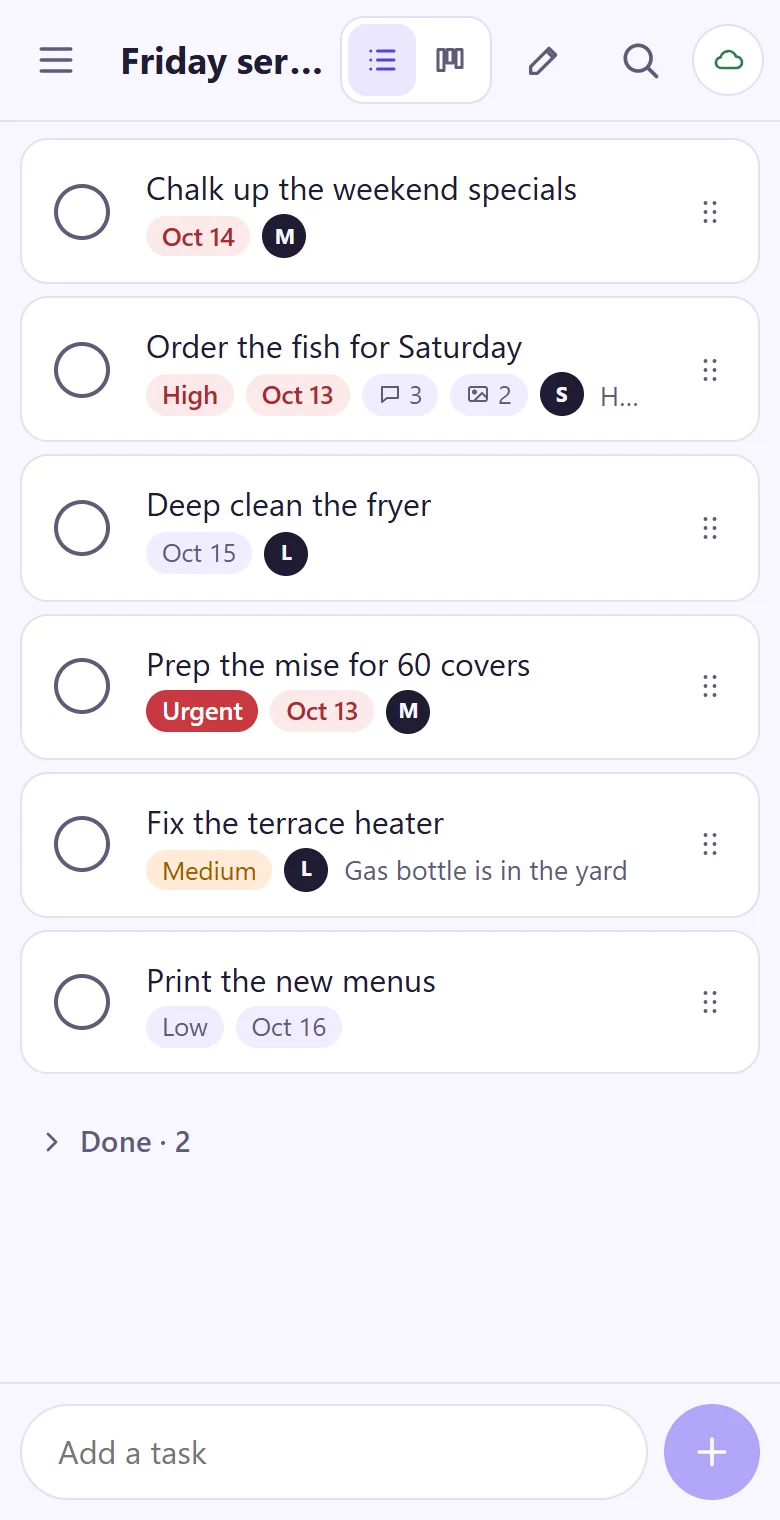
Open a list and switch it to the board with the switch in the top bar. The list view stays; the board is the same jobs laid out in columns, and each device remembers which view was last used for that list.
Step 3: keep the four columns (5 minutes)
A new board has To do, Doing, Stuck and Done. You can rename, add, remove and recolour columns under "Edit list", and for a team of five we would leave them alone for the first month.
To do: agreed, not started.
Doing: someone is on it now.
Stuck: it can't move until something outside the owner's hands happens. This is the column that earns the board its keep: it is where a job tells the rest of the team it needs help.
Done: finished. Ticking a job and moving it to Done are the same thing.
Step 4: put the week's real work on it (30 minutes)
Do this together, with the board on a laptop or passed around on a phone. Add every job the team already knows about for this week, and for each one:
Write it as an action that can be finished: "Order fish for Saturday", not "Fish".
Give it one owner. Pick the person from the team. One, not two.
Add a due date only if there is one. A date on everything means the dates stop meaning anything.
Set a priority on the few that matter most and leave the rest blank.
Step 5: agree three rules (15 minutes)
A board fails in the second week, when it stops matching reality. Three rules prevent most of that.
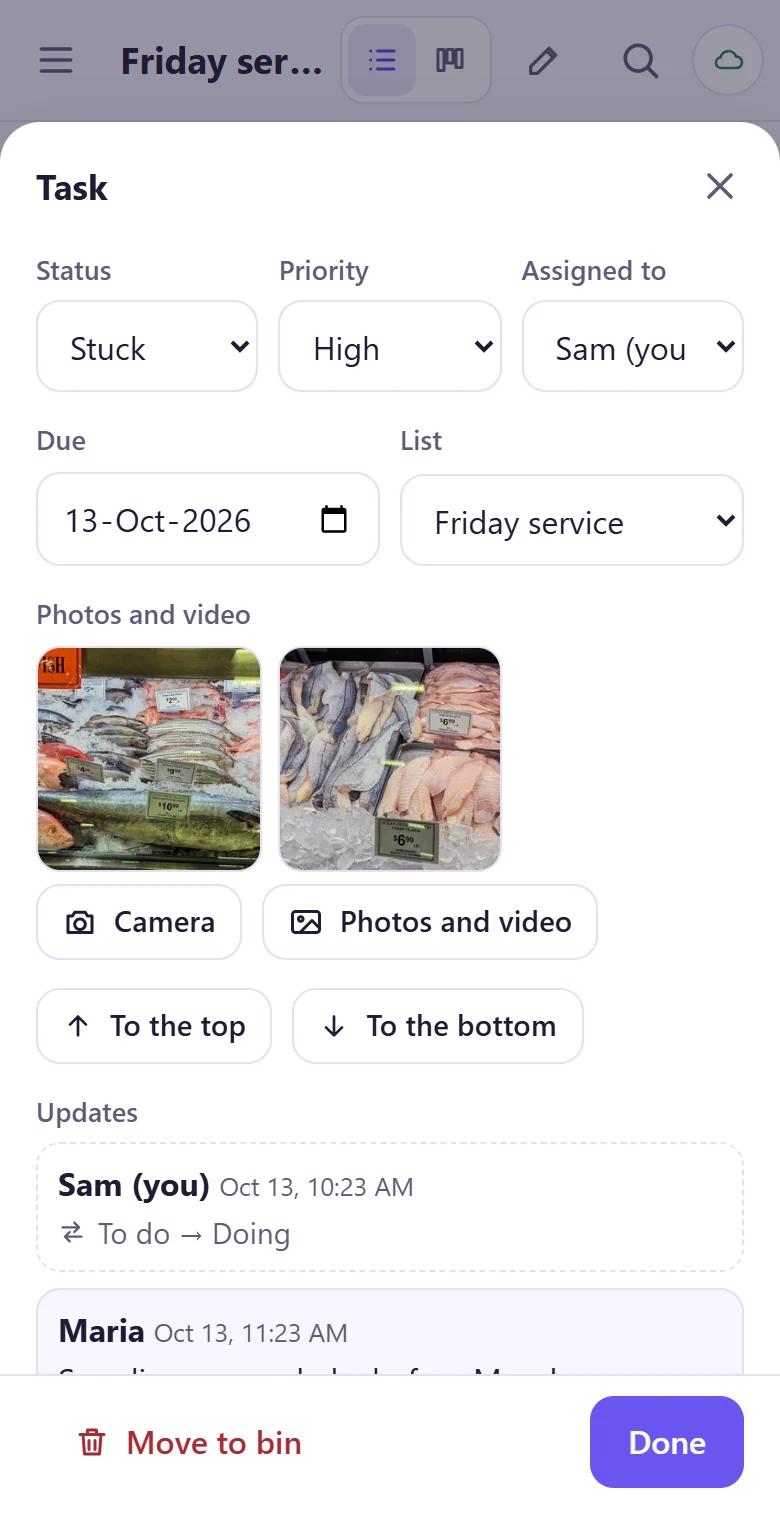
If you are doing it, it is in Doing with your name on it. Moving the card is how you tell the others. On a phone, use the card's "Move to" menu.
Stuck needs a sentence. When you move a job to Stuck, add a comment saying what it is waiting for. A photo helps when the problem is something you can see.
No more than two jobs each in Doing. With five people that is ten at most. If someone needs to start a third, something moves to Stuck or back to To do first. The app does not enforce this; the team does.
Step 6: a ten-minute look, twice a week
Stand around the board on Monday and Thursday. Read the Stuck column first and ask what each job needs. Then look at Doing for anything that has not moved since last time. Then pull the next jobs from To do. Clear out Done once a week, after everyone has seen it; what the team finished is worth a minute of looking at.
Why one owner, and why a limit
The one-owner rule has research behind it, of a kind. In 1979 Bibb Latané, Kipling Williams and Stephen Harkins asked people to clap and shout as loudly as they could, alone and in groups of up to six. Each person made less noise in a group than alone, and effort still fell when people wore blindfolds and headphones and only believed that others were shouting with them. They called it social loafing. When a result belongs to everyone, each person puts in less, mostly without noticing.
The limit on jobs in progress leans on the research on switching. In Sophie Leroy's experiments on attention residue (2009), people who left a task unfinished did worse on the next one, because part of their attention stayed behind. More on that in Why finished work feels lighter.
What the research does not show
Shouting in a lab is a long way from running a kitchen. The social loafing studies show that shared, unmeasured effort drops; they do not test task boards, and they do not show that naming an owner is enough to fix it. No trial we know of compares small teams with and without a board, and the two-jobs limit is a rule of thumb from practice, not a tested number. Try it for a month and change it if it gets in the way.
Set up the board this afternoon: make a team, read out the join code, and put this week's jobs in four columns.
Open tick-tock-doneRelated: One list and a weekly review: the two Getting Things Done habits worth keeping and Shift handovers that don't drop tasks: a checklist for kitchens and building sites.
Sources
Latané, B., Williams, K. & Harkins, S. (1979). Many hands make light the work: the causes and consequences of social loafing. Journal of Personality and Social Psychology 37(6), 822-832. doi:10.1037/0022-3514.37.6.822
Leroy, S. (2009). Why is it so hard to do my work? The challenge of attention residue when switching between work tasks. Organizational Behavior and Human Decision Processes 109(2), 168-181. doi:10.1016/j.obhdp.2009.04.002
Screens: the tick-tock-done app with a demo team, October 2026. Cover image: clipart from openclipart.org, released under CC0 (public domain).