A crew's working day takes four things that have nothing to do with ticking a box. Someone needs to see where the day stands. People need to talk about a job. The owner needs proof the job got done. And someone has to know who worked when.
Many crews cover those with four apps, or with a group chat doing a poor job of all four. Tick-tock-done, which we make, does them in one app for $1 a person a month or less from five people up. Here is what each of the four really is in our app, what buying them separately costs, and where a separate tool is still the better choice. Some of those comparisons don't flatter us, and we have kept them in.
The four jobs, and what each is here
| Job | In tick-tock-done | What it is not |
|---|---|---|
| Dashboard | Today: late and due-today jobs across the crew, today's checklists with progress, who is on shift | Not charts, reports or labour forecasts |
| Communicator | Updates on each job: comments, status changes and pictures, with who and when | Not a group chat, and no phone alert when someone comments |
| Proof of work | Photo or short video on a job; a checklist item can be set so it needs a photo before the tick | Not branded photo reports for clients. Photos need a connection |
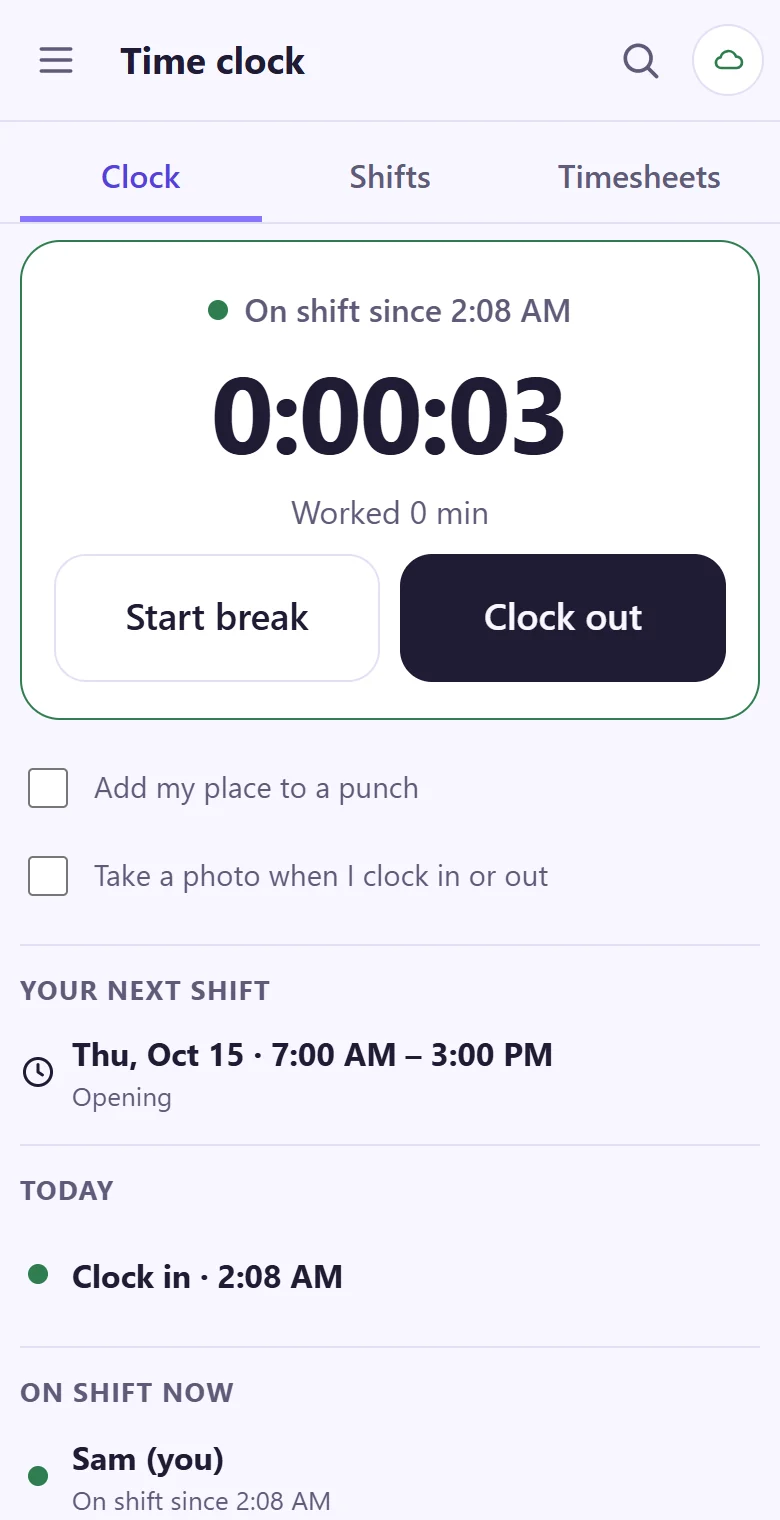
| Time clock | Clock in, break, out on the phone, also with no signal; shifts, timesheets | Not payroll |
The dashboard
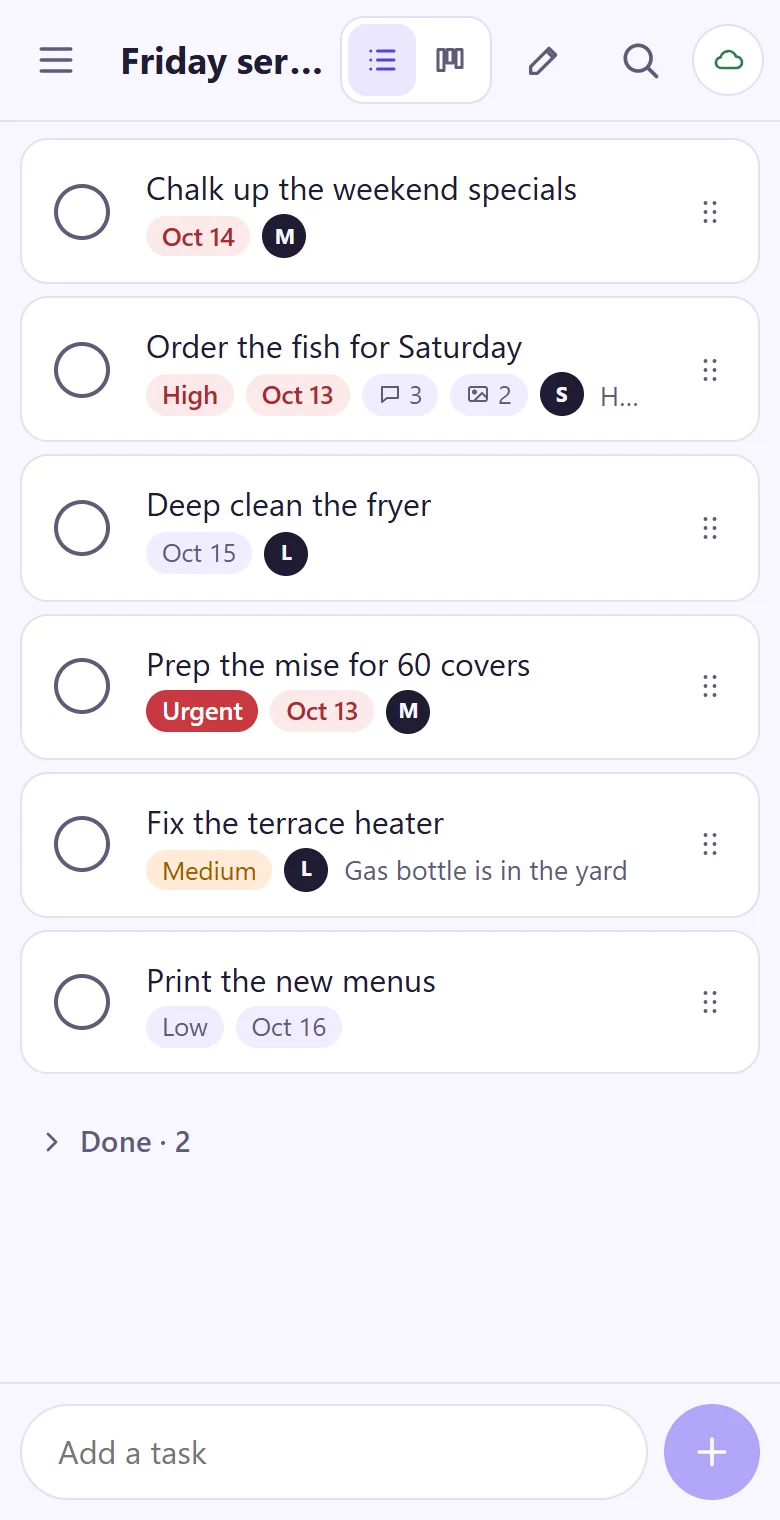
Today is the first item in the menu. It collects what's late or due today across the crew, shows each of today's checklists with its progress, and lists who is on shift now. Team and people shows each person's open jobs. The crew's list below shows who has what, and how many comments and pictures each job carries.
The communicator
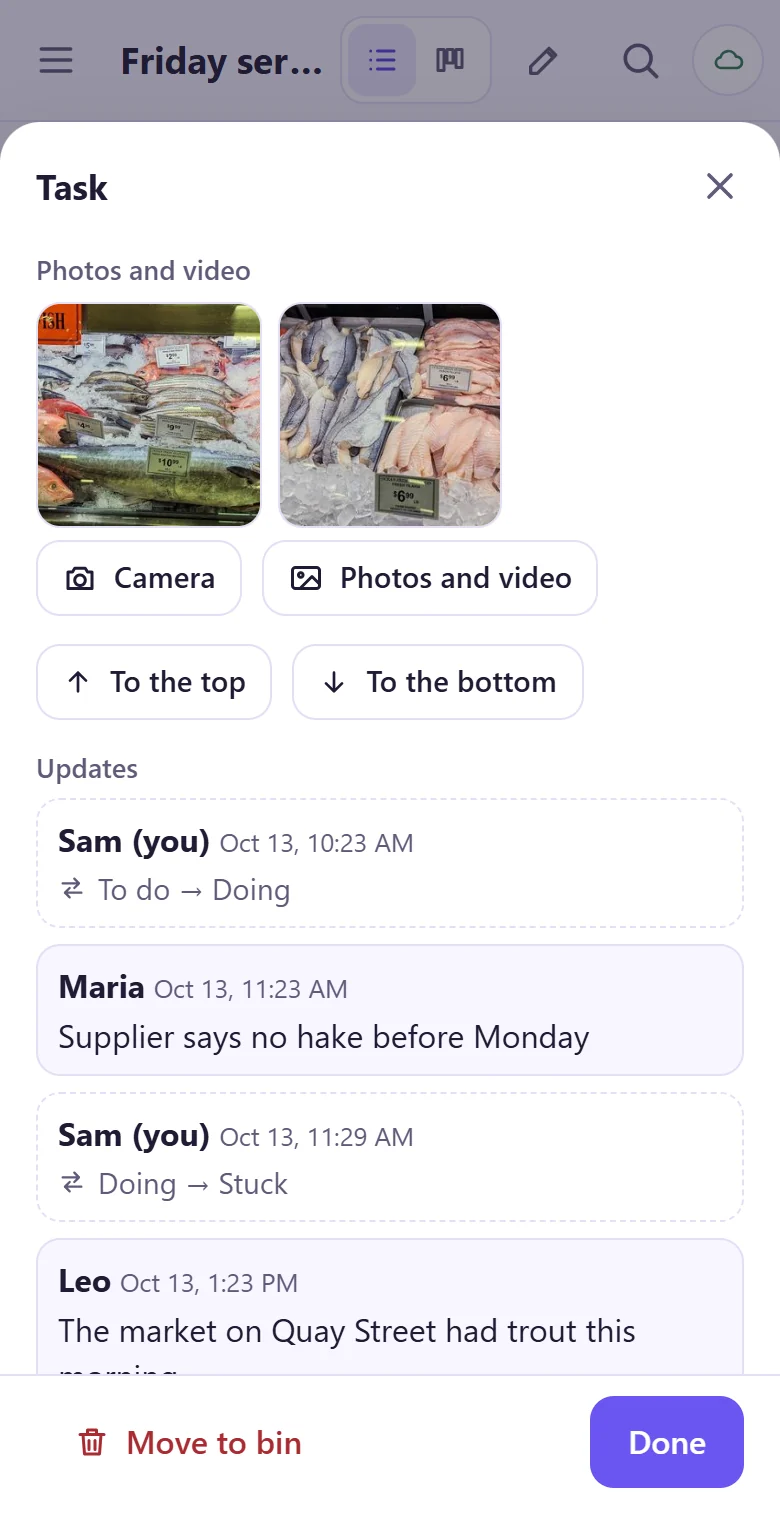
This is the one to be clear about. Our app has no general chat room. People talk on the job itself: "supplier says no hake before Monday" sits on the fish order, beside its status changes, where the next person will look. That's better than a chat thread for anything about a specific job, because it doesn't scroll away. Slack's free plan, for comparison, keeps only 90 days of message history.
It's worse for everything else. A general question has no natural home (though shift-change requests do have one), and nobody's phone buzzes when a comment lands, so people see it the next time they open the app. A crew that needs instant alerts will keep its group chat for those. See the ten-minute pre-shift huddle for the talking that shouldn't be typed at all.
Proof of work
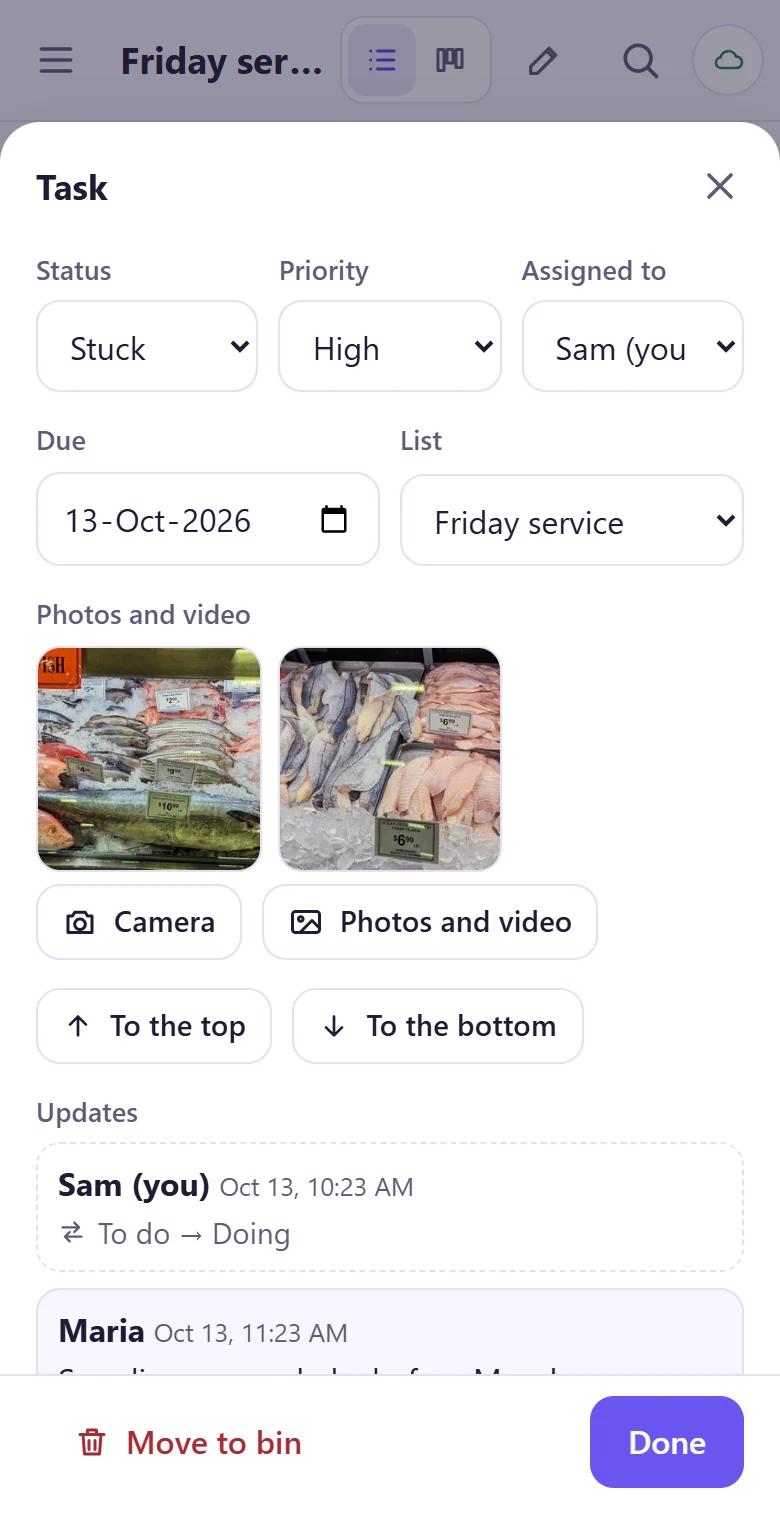
Anyone in the crew can add a photo or a short video to a job, up to 10 MB a picture and 100 MB a video, and the updates show who added it and when. A checklist item can be set so it can't be ticked without a photo. Photo proof on tasks covers when that settles an argument and when it just annoys people.
The time clock
One tap each for clock in, break, back and out, and a punch made with no signal is kept on the phone and marked as offline when it syncs. A punch is never overwritten: a manager's correction needs a reason, and the old punch stays on record. Everyone sees who is on shift, and only owners and managers see everyone's hours. If you want a place or a photo on a punch, each person can switch those on.
What the same jobs cost separately
List prices in US dollars on 1 November 2026, before tax, on yearly billing where there's a choice. We picked the lowest paid plan that does the job. The time clock line is free because a free one exists.
| Job | Separate tool | Price | 5 people | 12 people |
|---|---|---|---|---|
| Job board | Trello Standard | $5 a user | $25.00 | $60.00 |
| Team talk | Slack Pro | $7.25 a user | $36.25 | $87.00 |
| Photo proof | CompanyCam Crew | $129 with 3 users, $29 each more | $187.00 | $390.00 |
| Time clock | Jibble free plan | $0 | $0 | $0 |
| Total | $248.25 | $537.00 | ||
| Per person | $49.65 | $44.75 | ||
| tick-tock-done Team | $5, then $1 for each 2 more | $5.00 | $6.00 | |
| Per person | $1.00 | $0.50 |
That table flatters us, and CompanyCam is the reason. It's a serious photo product for contractors, with far more than ours has, and most small crews wouldn't buy it just to prove a mop went round. So here is the comparison with photos sent in chat instead, then the free-plans-only version, then the other all-in-one apps.
| Option | 5 people | 12 people | What you give up |
|---|---|---|---|
| Trello + Slack paid, photos in chat, free Jibble | $61.25 | $147.00 | Photos sit in chat, not on the job |
| Free plans only: Trello, Slack, Jibble | $0 | $60.00 (Trello's free plan stops at 10) | Slack history stops at 90 days; three apps |
| Connecteam | $0 (free up to 10 users) | $29 per hub for 30 users; $58 for two hubs | Check which hub has what you need |
| Homebase | $0 (free up to 10, one location) | $30 per location (Essentials) | Built around shifts and hours more than jobs |
| When I Work Essentials | $12.50 | $30.00 | Built around shifts more than jobs |
| monday.com Basic | $45.00 (5 seats) | $135.00 (sold in steps, so 15 seats) | Built for projects more than shifts |
| tick-tock-done Team | $5.00 | $6.00 | No group chat, payroll or POS link |
Read honestly, a crew of five can spend nothing: Connecteam and Homebase are both free at that size, with more features in some areas than ours. Our price stands out at 11 people and up, where those free plans stop, and our case at five is that all four jobs sit on the one job, not the $5.
Twelve people on four apps is 48 accounts to set up, and four to close each time someone leaves.
The cost that isn't on any pricing page
Four tools means four sign-ins per person. For 12 people that's 48 accounts. At two minutes an invite (our estimate), that's 96 minutes to set up, and every hire adds four more and every leaver four to close. A leaver left active on a paid per-user plan keeps costing money, and on Trello a pending invite holds a seat. Then there's the daily cost: a job's status in one app, the talk about it in another, the photo in a third. Getting a crew organized for $1 a person shows how to measure what that costs your crew over two weeks.
When to buy the separate tool
You need messages that buzz a phone: keep a group chat, or look at a tool with team messaging, such as When I Work.
You run payroll from your scheduling app, or need a POS link: Homebase offers both, and we have neither.
Clients pay for photo reports: CompanyCam is built for that, and ours is a photo on a job.
You want charts, automations and forecasts: monday.com goes much further than our Today screen.
Storage matters: our Team plan has 1 GB for pictures and video, then $10 a month per GB. A crew that posts lots of video won't stay at $1 a person.
Doing this in tick-tock-done
Your own lists are free. A team's owner picks the Team plan inside the app, and the home page shows how it works for restaurant, construction, cleaning, rental and event crews. See the task board article for an afternoon's setup.
Today's view, job updates, photo proof and a time clock for your crew, in one app.
See how it worksWhat this does not show
These are list prices and our reading of each page on 1 November 2026. They change, and some have offers and add-ons that we didn't count. CompanyCam's page says "Additional Users: $29 each" without saying per what; we counted it per month. Trello and Slack cost more on monthly billing ($6 and $8.75). When I Work's page describes its $2.50 tier in two different ways, so check it for your setup.
A price table isn't a feature match. Each of these tools does things the others can't, so equal lines don't mean equal work.
We didn't run a crew on each stack. The account counts and the invite time are our own arithmetic and estimate, not a study.
We make tick-tock-done, so we are not neutral.
Sources
tick-tock-done pricing. ticktockdone.com/pricing
Trello pricing. trello.com/pricing
Slack Pro pricing and free plan limit. slack.com/pricing/pro
CompanyCam pricing. companycam.com/pricing
Jibble pricing. jibble.io/pricing
Connecteam pricing. connecteam.com/pricing
Homebase pricing. joinhomebase.com/pricing
When I Work pricing. wheniwork.com/pricing
monday.com pricing and seat steps. monday.com/pricing, Support article