Compared, as of 18 October 2026
monday.com or tick-tock-done for a small crew?
monday.com is a work platform you build: boards, columns, automations, dashboards and hundreds of integrations. tick-tock-done is a short list of things a crew already does every day: a checklist, a log, the week's shifts, a clock-in and a photo of the finished job. If you run a cafe, a building crew or a cleaning round, here is how the two compare, including where monday.com is the better pick.
We make tick-tock-done, so read this as one side's view. Every monday.com price and plan limit below is from its own pricing page, read on 18 October 2026. Prices change; check there before you decide.
The short answer
- Pick monday.com if you need to design your own workflows, run automations ("when the status changes, tell the client"), connect a CRM or accounting tool, or report across many projects and departments.
- Pick tick-tock-done if your people work on their feet, not at desks: they need to tick jobs on a phone, clock in at the door, see this week's shifts and add a photo, often where there is no signal.
- Many crews use neither and get by on a whiteboard and a group chat. Both tools are trying to replace that; tick-tock-done just asks less of you before it does.
Side by side
| monday.com (work management) | tick-tock-done | |
|---|---|---|
| Free use | Free plan for up to 2 seats, 3 boards and 3 docs. Paid plans start from 3 seats. | Lists, checklists, notes, the log, teams and sync are open to everyone who signs in. Pricing |
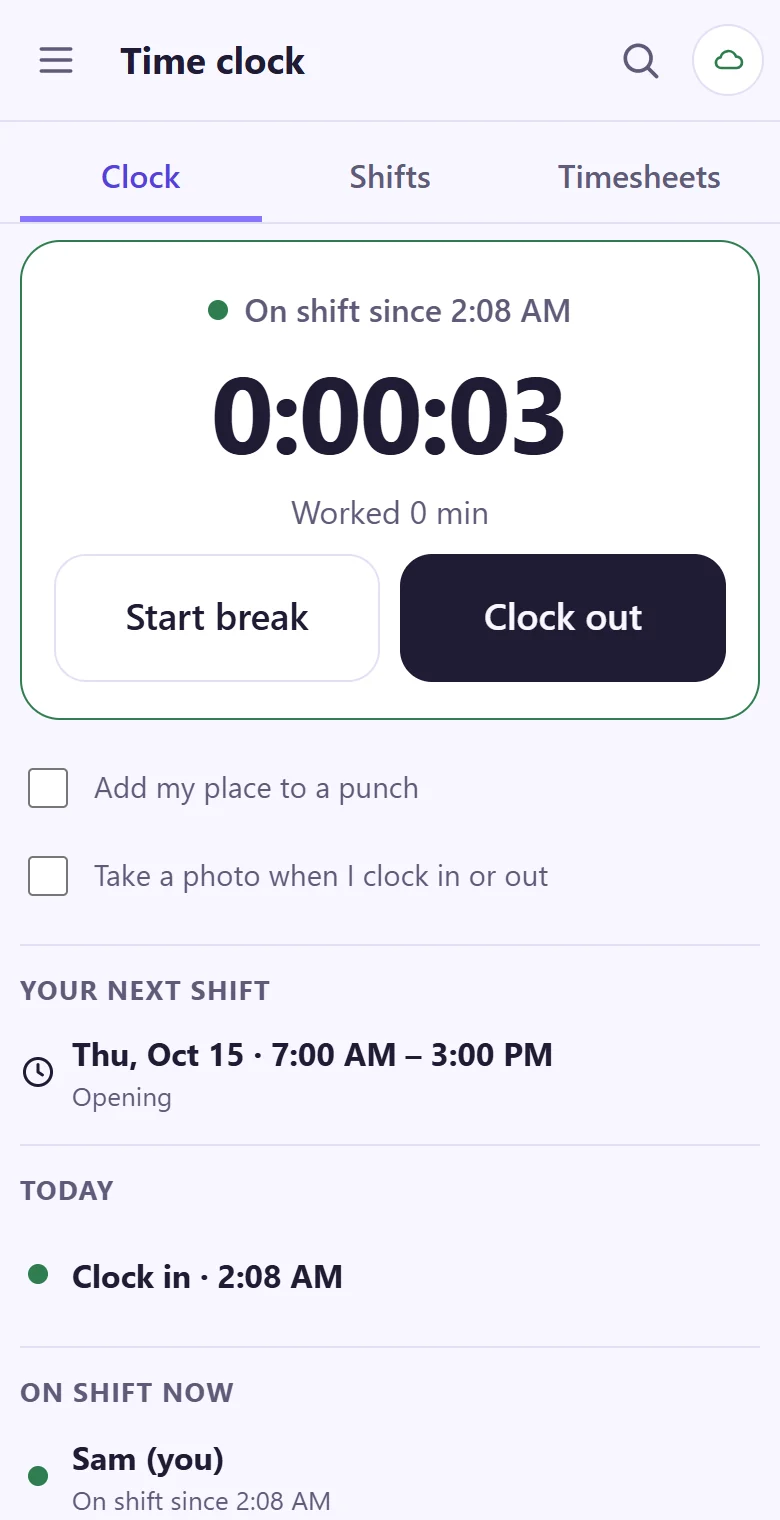
| Time clock | Time tracking is on the Pro plan ($19 a seat a month, billed yearly). | Clock in, break, back and out, with a weekly shift plan, timesheets by person and week, and a CSV file for payroll. |
| No signal | The pricing page names working offline only for its CRM product. | Every change is saved on the phone first and sent later, clock-ins too. A label says Synced, Syncing or Offline. |
| Setting up | Start from a template or an empty board, then add columns, views and automations. | Name a list, pick Tasks, Log or Notes, and start typing. Teams join with an 8-character code. |
| Photos on a job | Files can be added to items. | Photos and short videos from the phone camera, made smaller before they upload, in the job's own history. |
| Automations | 250 actions a month on Standard, 25,000 on Pro. | None. There is nothing to automate yet, and we say so. |
| Integrations and API | Many integrations; API calls from 1,000 a day on Standard. | No integrations and no public API today. Timesheets leave as a CSV file. |
| Guests | Guest access from the Standard plan. | Owner, managers and members. No guest role. |
| Adding a job by voice | Not on the pricing page. | Say a task: one sentence names the list, the day, the time and the person. |
What a crew of eight actually needs on a Monday
Take a cafe with eight people across two shifts. On monday.com's paid plans that is eight seats, and the time tracking column is on Pro. Someone also has to build the board: which columns, which statuses, which view the kitchen sees. That is fine for an office manager who likes setting things up. It's a lot to ask of the person who also does the ordering and the rota.
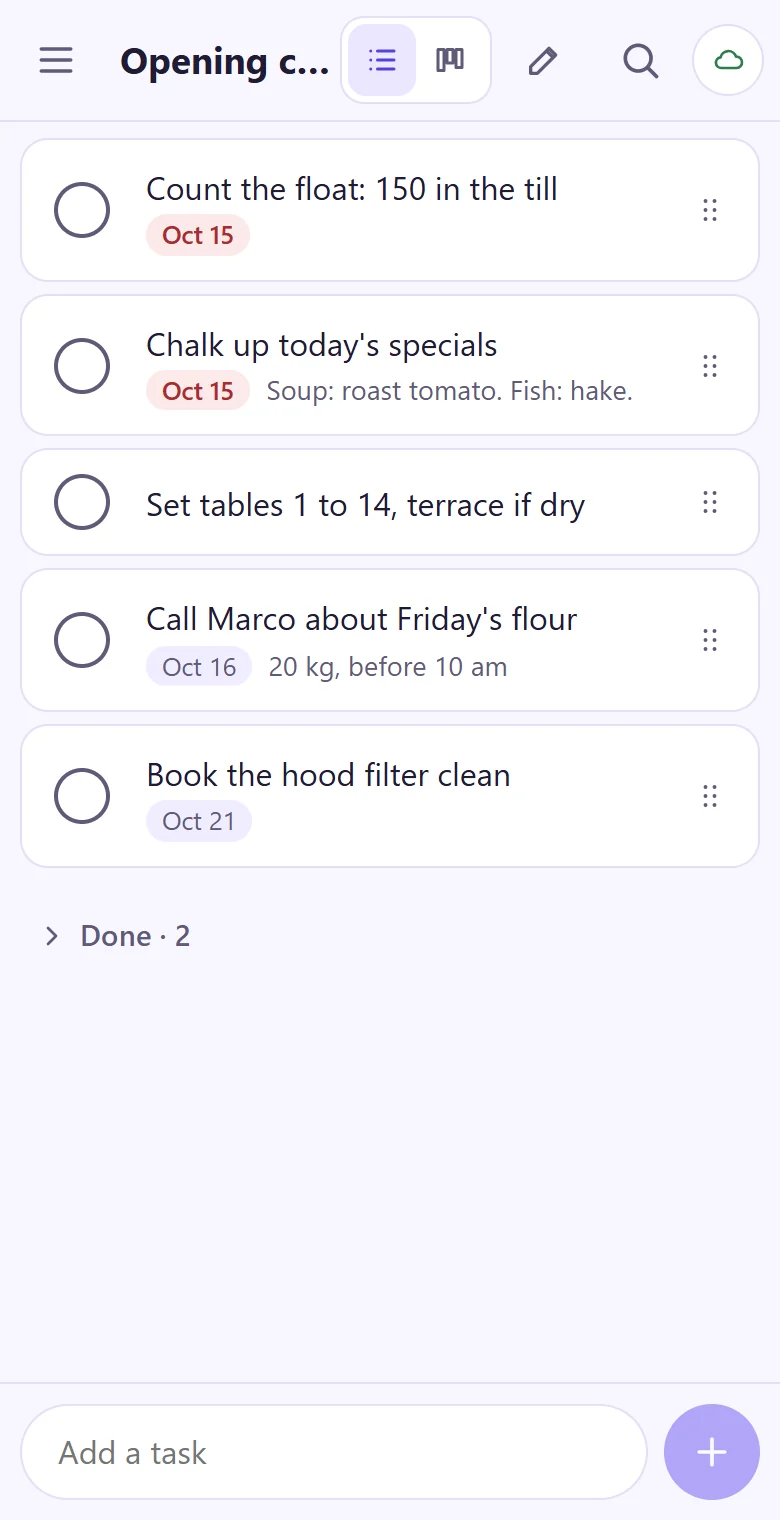
In tick-tock-done the owner starts a team, reads the join code out at the morning briefing, and the opening checklist is already on everyone's phone. The week's shifts are on a laptop for the owner and on each phone for the crew. Hours add up by themselves.
A board, if you want one
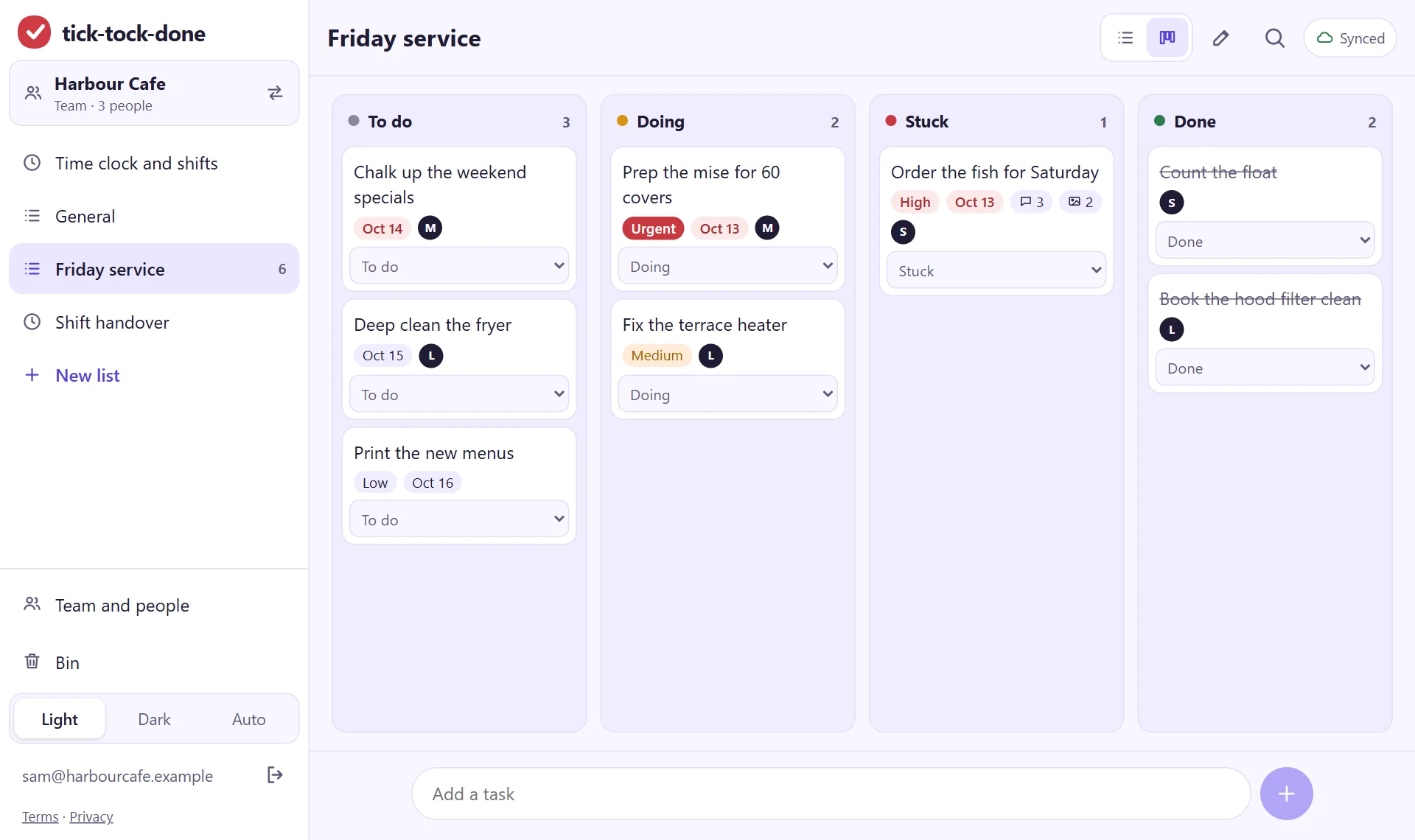
Boards are what monday.com is known for, and they are good. tick-tock-done has a simple one for teams: To do, Doing, Stuck and Done, with columns you can rename, a person on each job and a short history of who moved it. No formulas, no dashboards.
Where tick-tock-done falls short
- No automations, no integrations and no public API yet.
- No overtime or pay rates, no approving or locking a week of timesheets, no reminders.
- Photos need a connection to upload; lists and the clock work offline, pictures don't yet.
- English only. An iPhone app is being built; today it runs in the browser and installs from there on any phone or computer.
- It's new. monday.com has years of track record and support teams; we are a small team.
If any of those is a deal breaker, monday.com (or the time clock comparison with Jibble) is the honest answer.
Try it with tomorrow's checklist.
It takes about a minute: your email, a code, and you're typing.
Get started