Compared, as of 18 October 2026
Jibble or tick-tock-done as the time clock for your crew?
Jibble is a time clock first: kiosks, face recognition, geofences, leave and payroll links. tick-tock-done is a crew's work list first, with a simpler time clock built in: the checklist, the shifts and the clock-in are in one app. Which one fits depends on whether your problem is "who worked when" or "what got done, and who worked when".
We make tick-tock-done, so read this as one side's view. Jibble facts are from its features page and pricing page, read on 18 October 2026. On that day the pricing page showed only the free offer (unlimited users) and a demo booking, with no paid plan prices.
The short answer
- Pick Jibble if you need proof of who clocked in and where: a shared tablet at the door, face checks against buddy punching, clock-ins only inside a site's geofence, leave requests, and a link to your payroll software.
- Pick tick-tock-done if the hours are only half of it and you also want the opening checklist, the site log, the jobs for each person and photos of the finished work in the same app the crew clocks in with.
- Some teams will want both. That's fine: tick-tock-done exports a CSV file of hours, so it doesn't lock anyone in.
Side by side
| Jibble | tick-tock-done | |
|---|---|---|
| Free use | "Free forever" for unlimited users, with mobile and web clock-ins and basic timesheets. | The time clock, shifts, timesheets, lists and teams are open to everyone who signs in. Pricing |
| Clocking in | Phone, web, desktop and a shared tablet kiosk. | Phone or any browser: clock in, break, back, out. No kiosk mode. |
| Proof of who and where | Face recognition, GPS on every punch, geofences, selfie capture. | A place or a photo with the tap, only when the worker turns it on. A manager can't require it yet. |
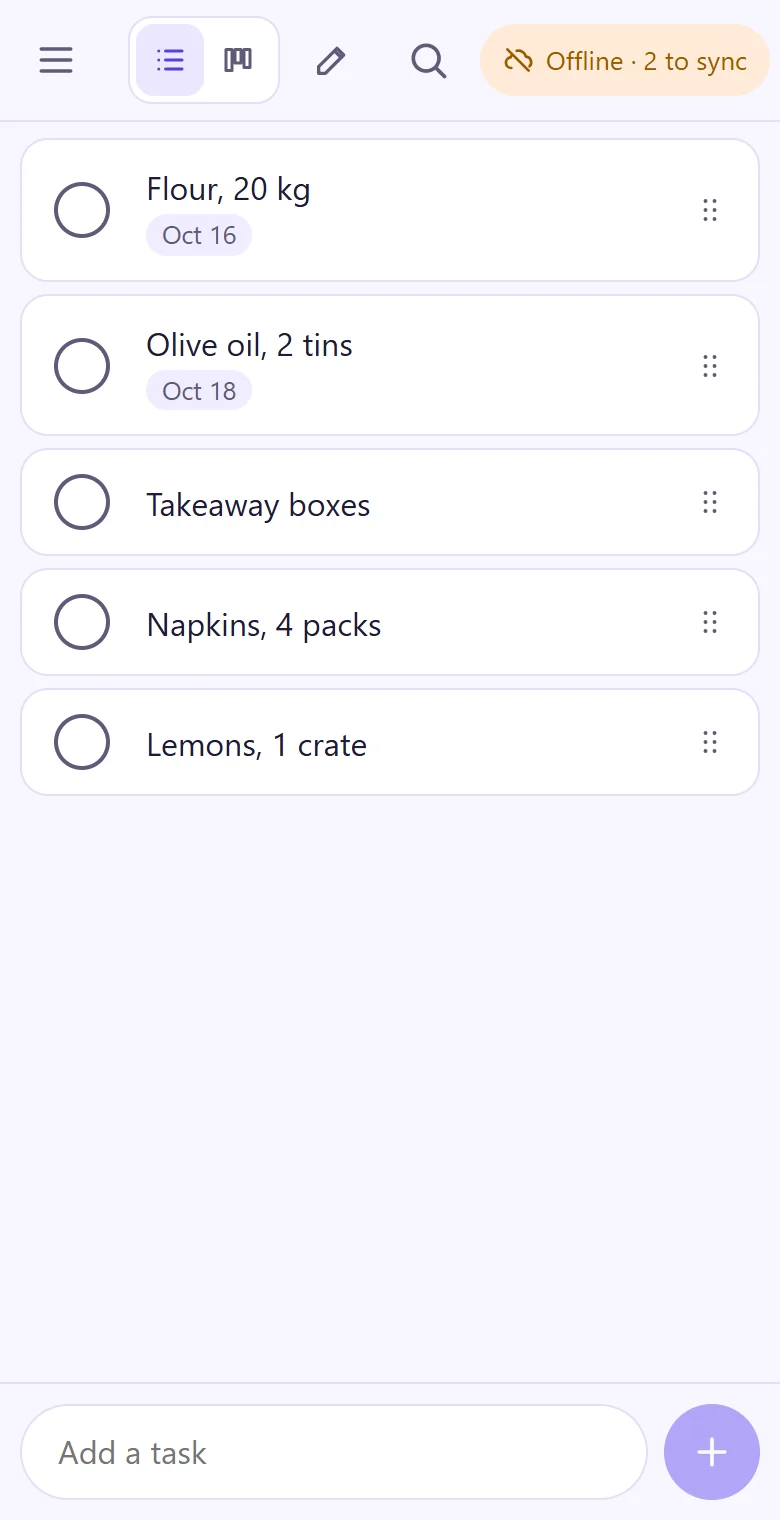
| No signal | Keeps tracking offline and syncs on reconnect. | The tap is kept on the phone with its time and sent when it's back online. |
| Shifts | Work schedules with planned against actual. | A weekly shift plan; everyone sees their own shifts on their phone. |
| Timesheets and payroll | Payroll-ready timesheets; links to Xero, QuickBooks and others. | Timesheets by person and week and a CSV file. No payroll links, overtime rules or pay rates. |
| Leave | PTO, sick days and holidays with approvals. | Not built. |
| Fixing a missed clock-out | Timesheet approvals and edits. | A manager adds the time with a reason; the first tap stays on record. |
| Checklists, jobs and photos on jobs | Not on the features page. Time can be logged against activities and projects. | Task lists, logs and notes, a team board, a person on each job, photos and short videos on the job. |
The hours, next to the work
Picture a cleaning crew of five doing three offices a night. With a time clock alone you know they were on site from 7 to 11. With the clock inside the work list you also see that the second floor kitchen was ticked at 9:40, with a photo of the empty bins, and that someone noted the alarm code changed.
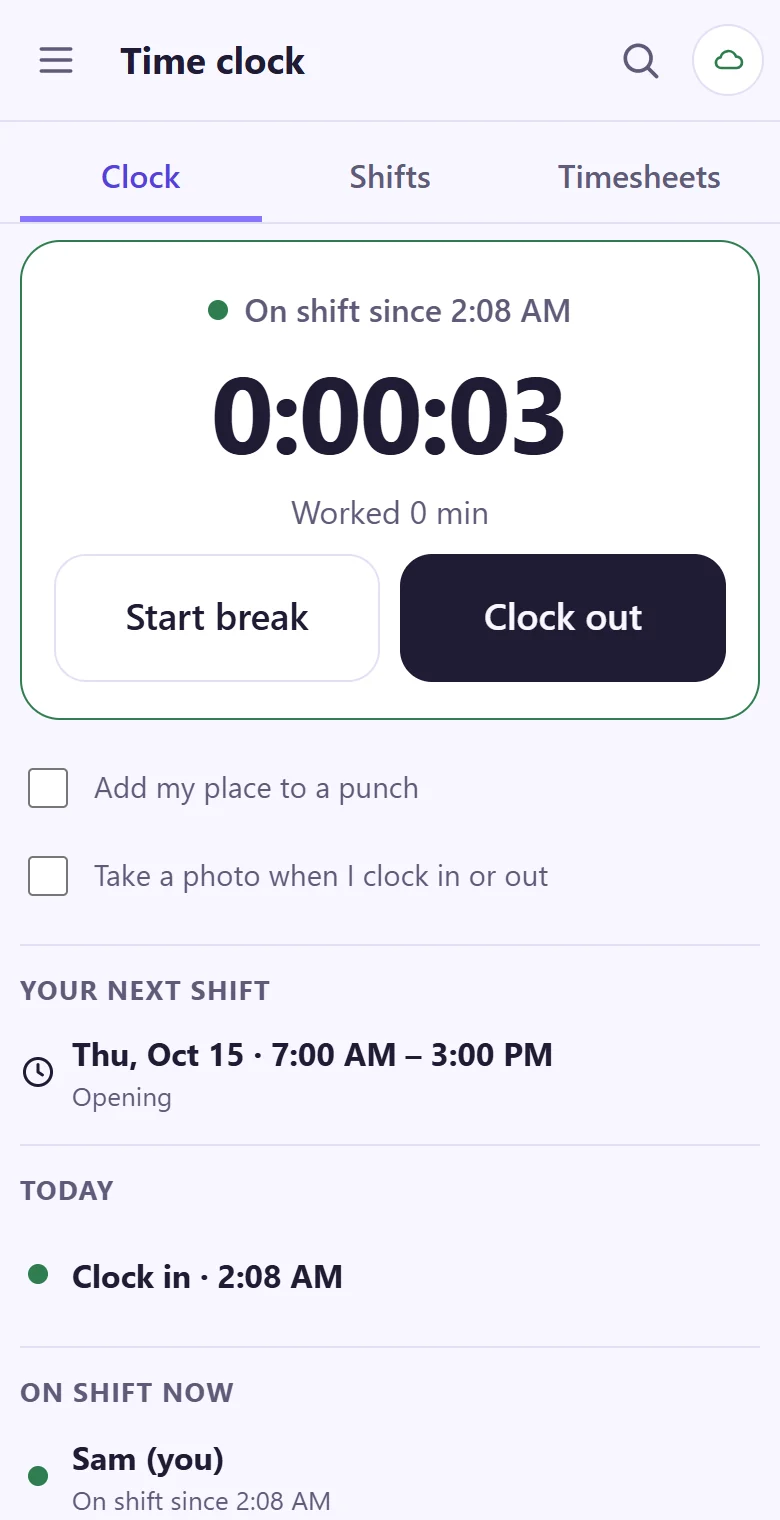
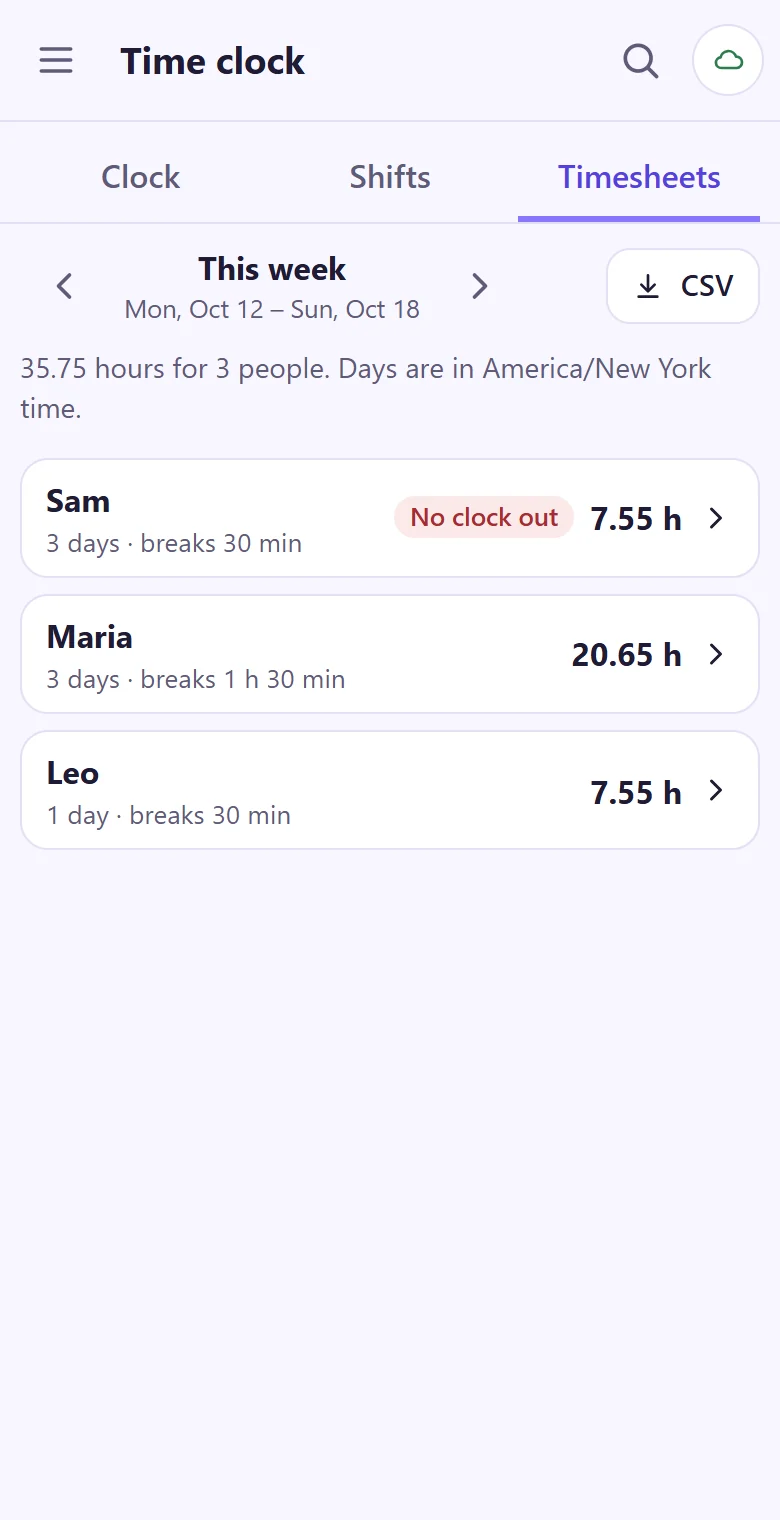
That second part is what tick-tock-done is for. Its time clock is deliberately plain: two taps to clock in, one each for break, back and out, and the hours by person and week at the end.
The week's shifts on one screen
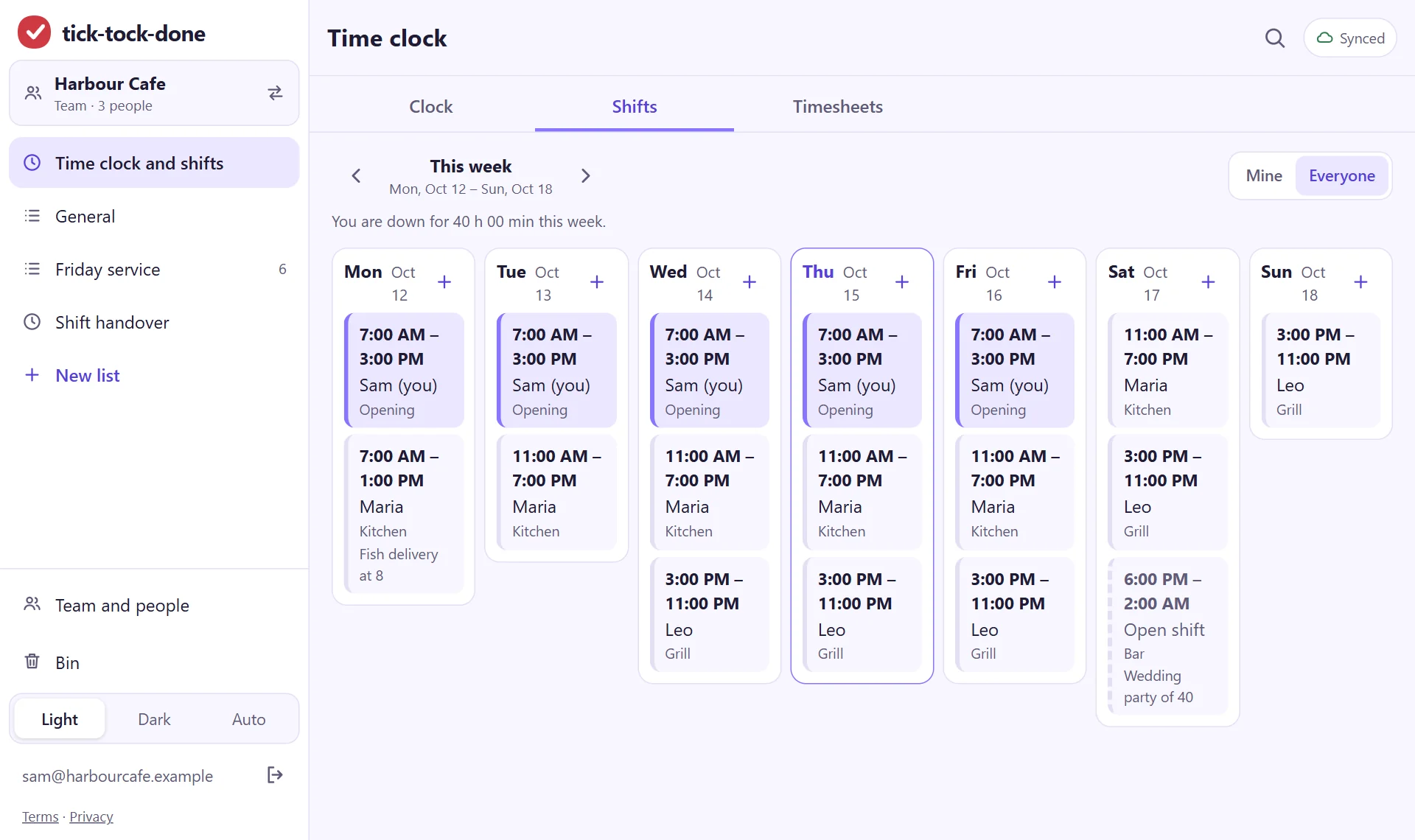
Plan who opens, who closes and which shift is still open on a laptop. Each person sees only their own shifts on their phone. For rest between a late close and an early open there is a free rest between shifts checker.
A photo on the job, not on the punch
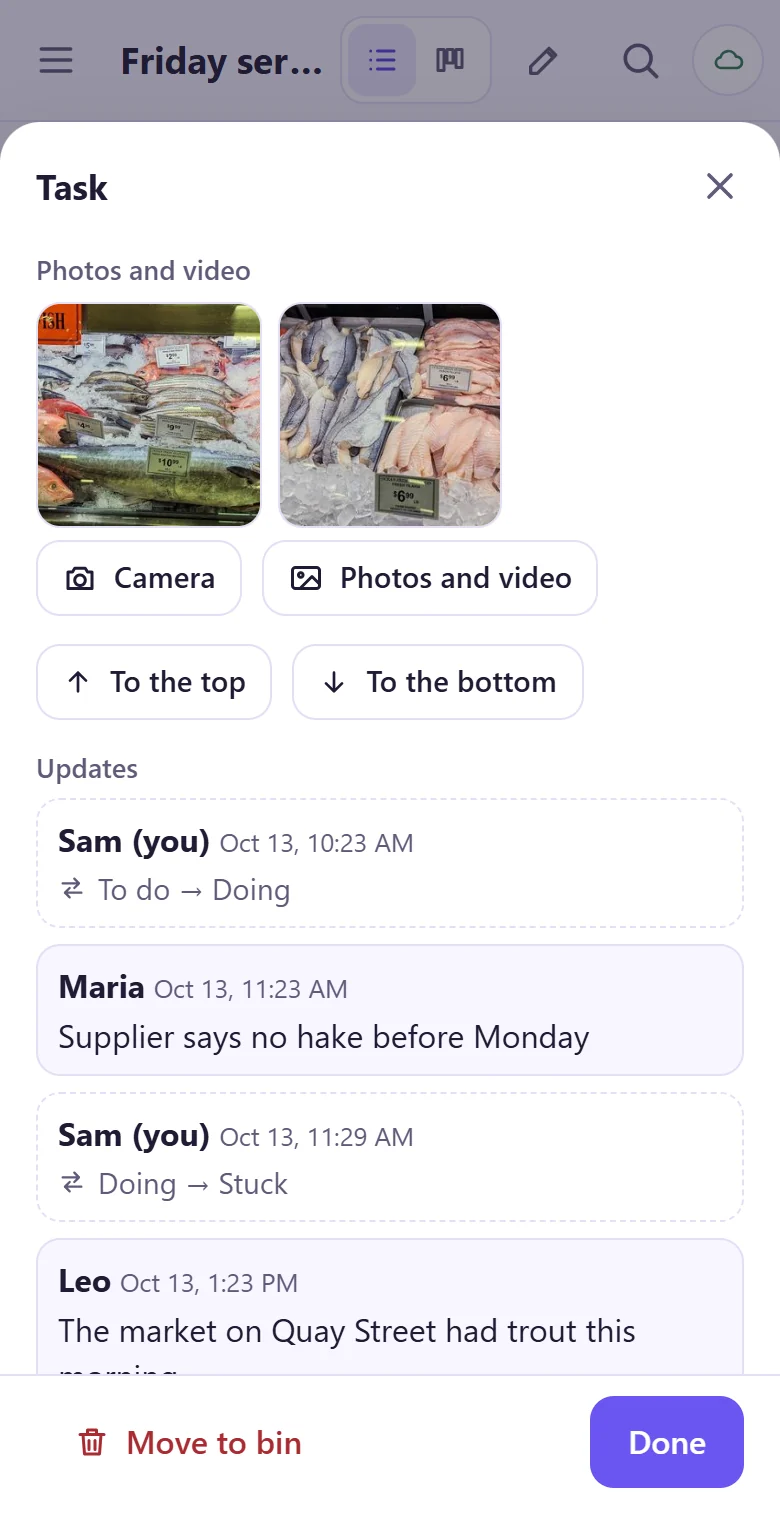
Jibble's selfie is taken with the clock-in, to prove who arrived. tick-tock-done's photos go on the job itself: the finished wall, the leak, the delivery note. Both are useful; they answer different questions.
Where tick-tock-done falls short
- No kiosk mode, no face checks and no geofences. If buddy punching is your problem, use a dedicated time clock.
- No leave, overtime rules, pay rates or approving and locking a week.
- No payroll links: hours leave as a CSV file.
- A clock-in tapped offline is sent when the app is next open online, not in the background.
- English only, and new. An iPhone app is being built; today it installs from the browser.
Comparing work apps instead? See tick-tock-done and monday.com for a small crew.
Clock in tomorrow, and tick the checklist too.
It takes about a minute: your email, a code, and you're typing.
Get started