For cleaning crews
Every place, room by room. With a photo when it's done.
A cleaning round is a different checklist at every door: which rooms, what the client asked for, where the key is and what the alarm code is. tick-tock-done keeps each place's list, its notes and the week's rounds on every cleaner's phone, and a photo of the finished job goes on the visit with the time on it.
Start my cleaning app- A checklist per place
- Photo of the finished job
- Hours for payroll
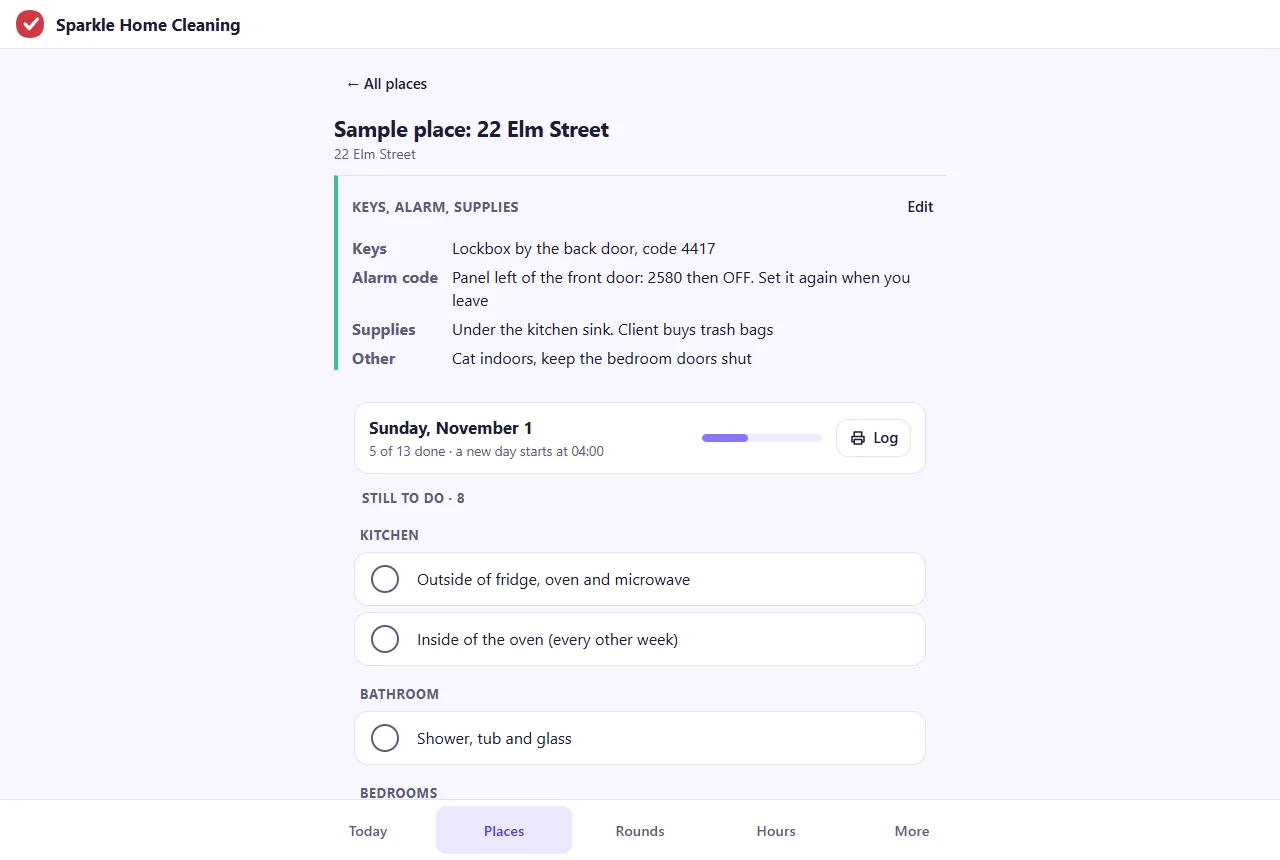
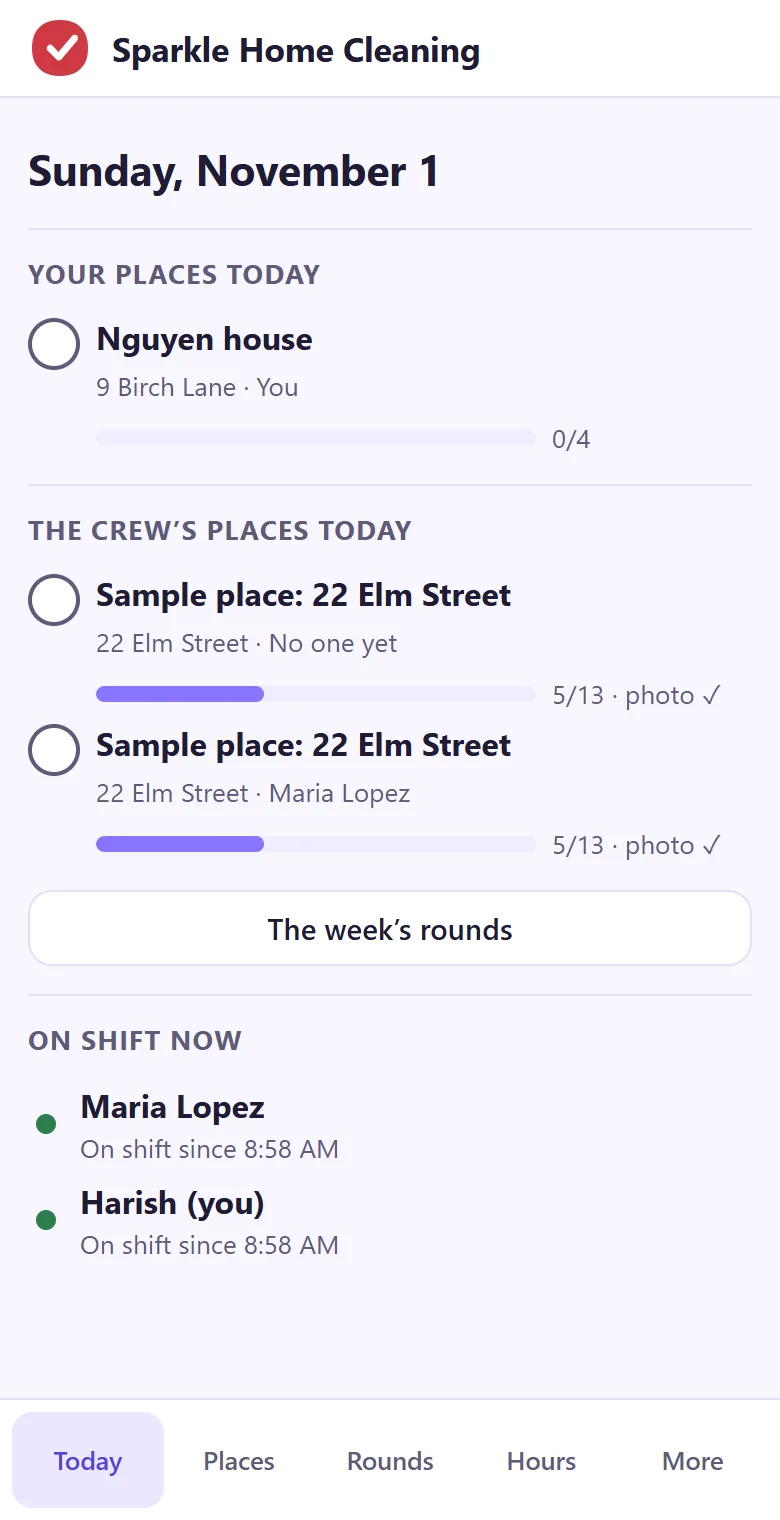
A checklist for each place, in the order you walk it
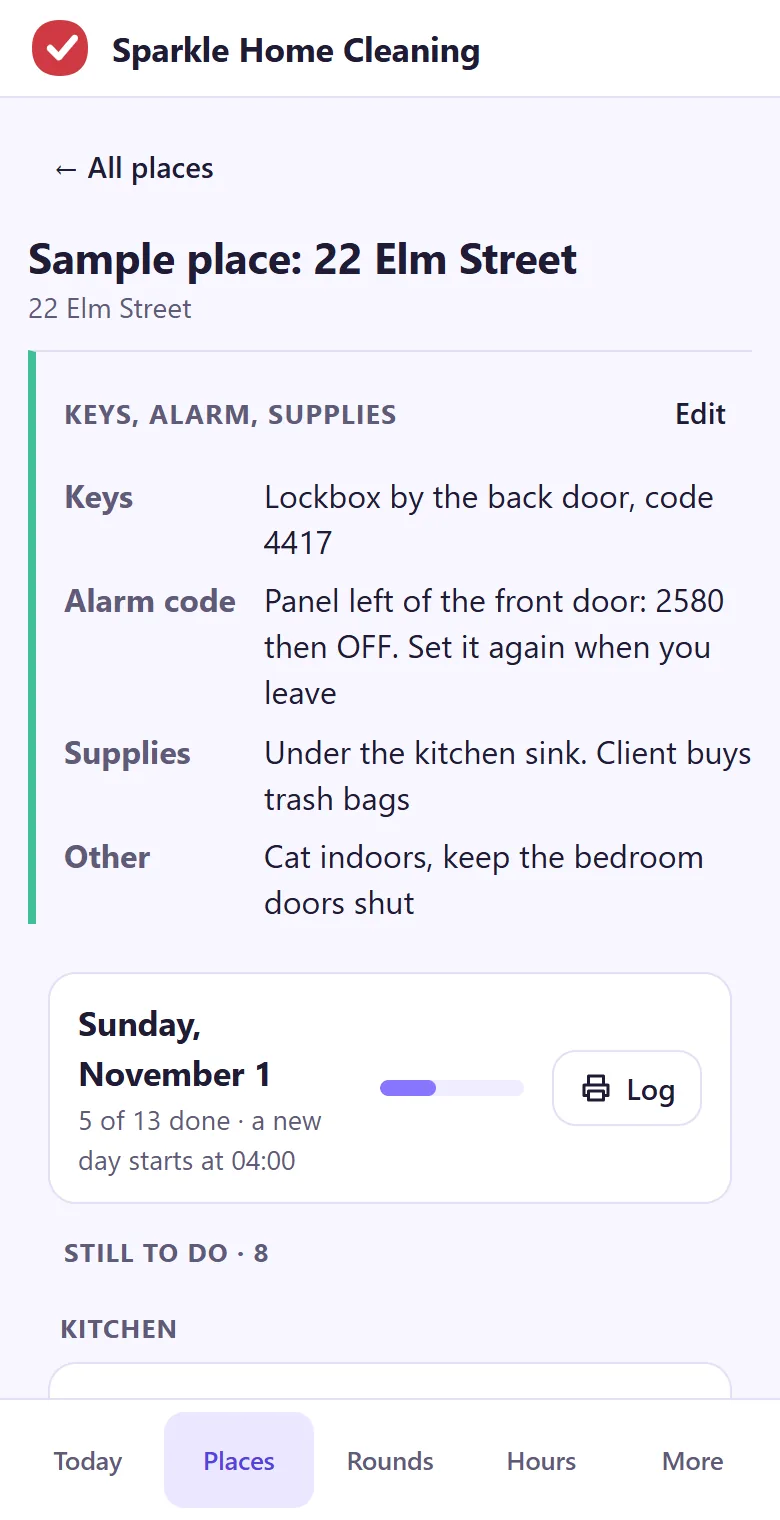
Kitchen, bathrooms, bedrooms, floors: each place gets its own list, grouped by room, so a new cleaner does the job the way the client is used to. The list starts fresh every day, and earlier ticks stay on the printable log with who did each item and when.
- Rooms in walking order, the client's extras under the room they belong to
- The last item asks for a photo of the finished job before it can be ticked
- Each tick shows who did it and at what time
- A printable log of the day or the week for a client who asks
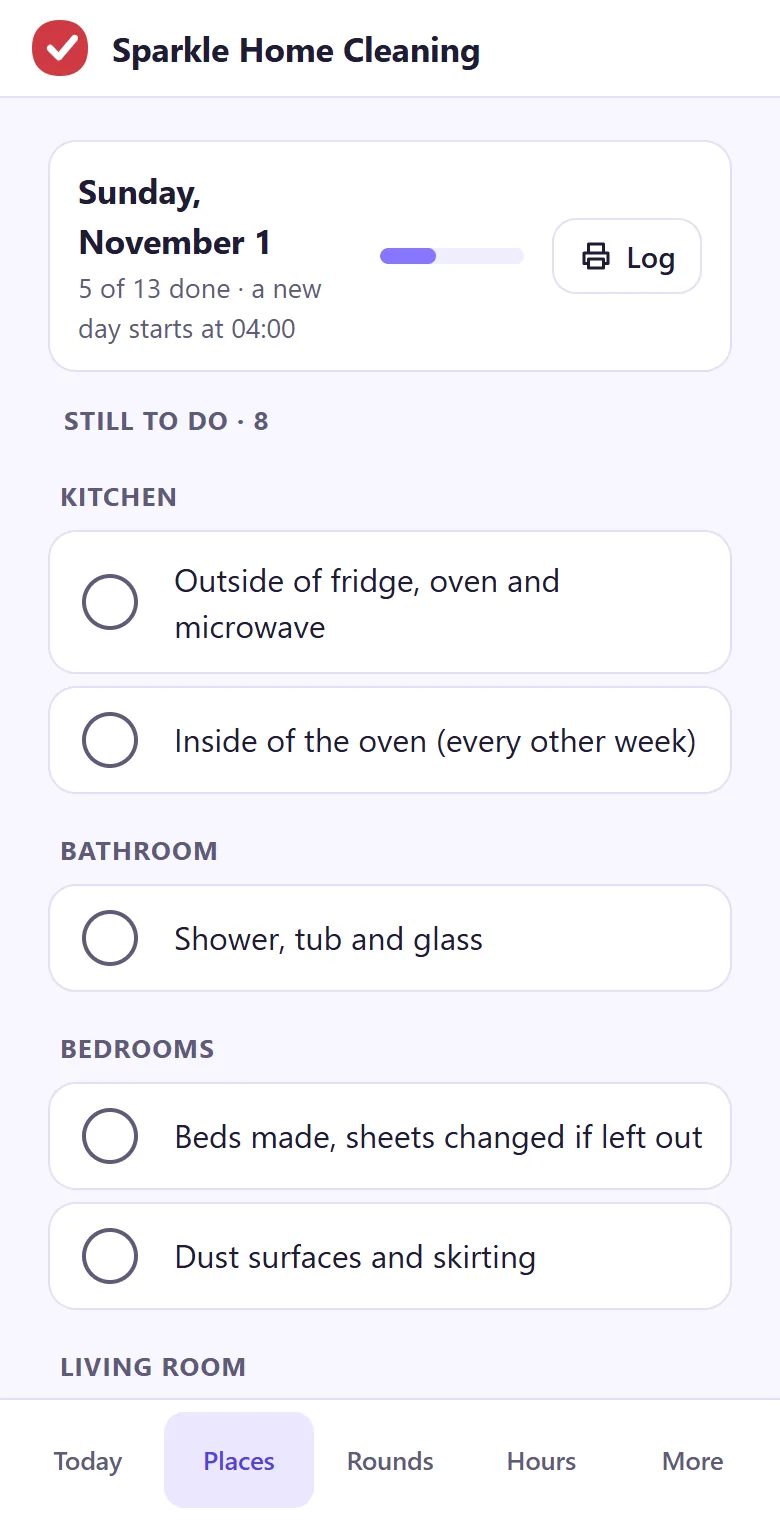
Keys, alarm codes and supplies, written down once
The lockbox code lives in one person's head until that person is off sick. Each place has its notes at the top of its checklist: where the key is, the alarm code, where the supplies are kept, the dog in the yard. Only people in your crew can read them.
- Keys, alarm code, supplies and anything else, per place
- Seen by your crew only, never on a shared link
- Opens with no signal once the app is on the home screen
The week's rounds on every phone
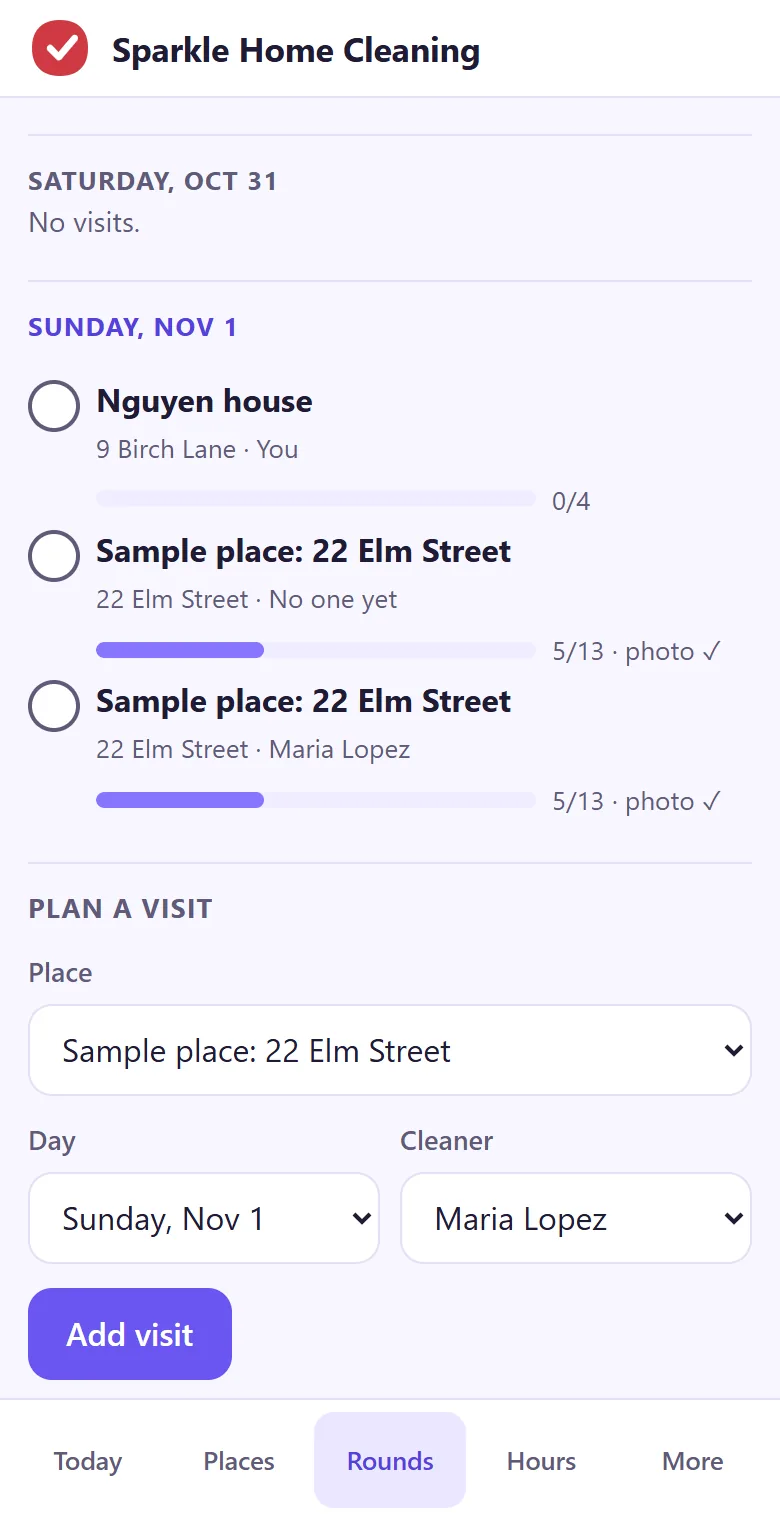
Plan each visit with its place, day and cleaner. On the morning of the visit it's on that cleaner's Today screen, with how far the checklist is. A visit from yesterday that nobody ticked shows as missed, so nothing slips to next week.
- Each cleaner's own places first
- Missed visits flagged the next morning
- The same rounds on the office laptop
Clock in at the door, hours ready for payroll
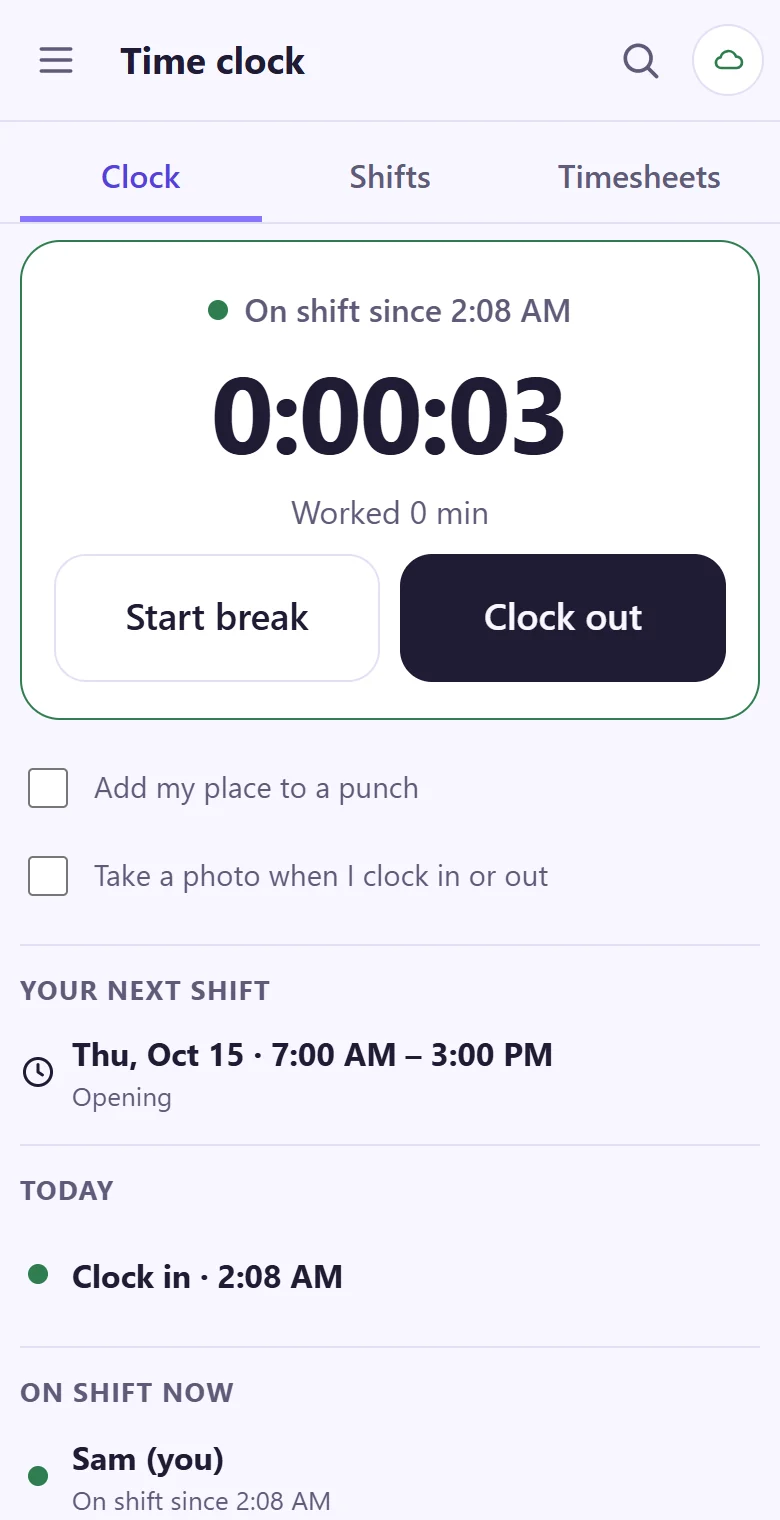
Two taps at the door, even in a basement flat with no signal: the punch keeps its time and goes up when the phone is back online. The Hours tab adds up each person's week, breaks taken out, and downloads it as a CSV file. A week for two cleaners looks like this:
| Person | Mon | Tue | Wed | Thu | Fri | Total |
|---|---|---|---|---|---|---|
| Maria | 6.5 | 7.25 | – | 6.5 | 7 | 27.25 |
| Dee | 4 | – | 5.75 | 4 | 6.5 | 20.25 |
| Total | 10.5 | 7.25 | 5.75 | 10.5 | 13.5 | 47.5 |
Decimal hours, so 7.25 is seven hours and fifteen minutes. A forgotten clock-out is fixed by a manager with a reason, and the first tap stays on record. For a quick sum by hand there's the free hours worked calculator.
Put next week's rounds on every phone.
It takes about a minute: your email, a code, three questions. A sample place is ready to rename, then invite your crew.
Start my cleaning app